Protect eSIM FAQ
1. What is Protect eSIM?
Protect eSIM offers a 2nd eSIM line — on top of your main line — with 100 minutes, 100 SMS and 5GB of 5G+ data at $4.90 a month.
This 5G+ line comes with Mobile Protect, ensuring a more secure experience for activities like banking and financial trading. Surf with a peace of mind knowing your transactions are better safeguarded against scams, phishing and data breaches. You’ll also receive a weekly personalised report of all the threats Mobile Protect has shielded you from on MySingtel app.
2. Who can sign up for Protect eSIM?
Protect eSIM is open to all new and existing Singtel customers. You’ll first need to sign up for a new number or transfer an existing number from another telco.
To enjoy the full benefits of Protect eSIM, make sure that:
3. Can I use my main line and my Protect eSIM line on the same device?
No worries, most devices are capable of using an eSIM line in addition to an existing eSIM or SIM card at the same time. Check with your device manufacturer to be sure.
With both lines on the same device, you’ll be able to:
4. How can I make sure I’m always connected to a 5G+ network on Protect eSIM?
Follow these steps to turn on a Singtel 5G+ Standalone connection. This will allow you to enjoy the full benefits of Protect eSIM.
5. How do I sign up for more data on Protect eSIM?
You can add on our 5G+ DataMore pack, which offers you between 1GB to 20GB of additional data monthly. Get it now on My Singtel app.
Alternatively, you can also upgrade to our SIM Only plans or phone plans for more bundled data.
6. How much will it cost if I exceed my local data on Protect eSIM?
Additional data is chargeable at $10.90/GB and charges are capped at $191.51 per month to help you manage your costs.
7. How do I switch between my main line and my Protect eSIM line?
Make sure you’ve labelled your Protect eSIM line accordingly during eSIM installation.
To use mobile data
You’ll only be able to use mobile data from 1 mobile line at one time. You’re recommended to use your Protect eSIM line for sensitive transactions like banking and financial trading, and switch back to your default line once you’ve completed those activities.
Here’s how to set your default line for data usage:
iOS: Settings > Mobile Service > Mobile Data > Select Protect eSIM line
Android: Settings > Connections > SIM Manager > Mobile data > Select Protect eSIM line
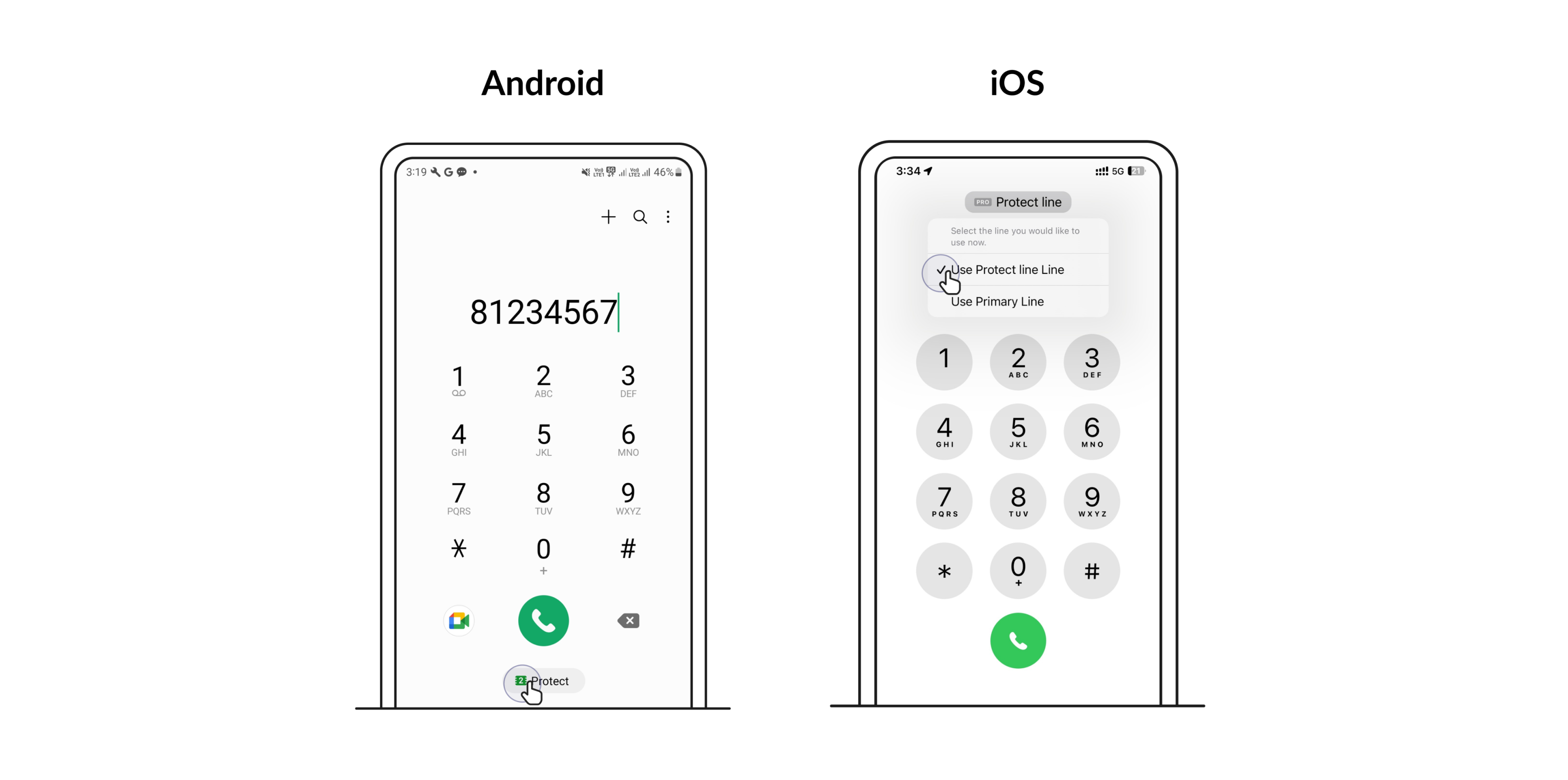
To make calls
On your device keypad, you’ll be able to select which line to make calls from.
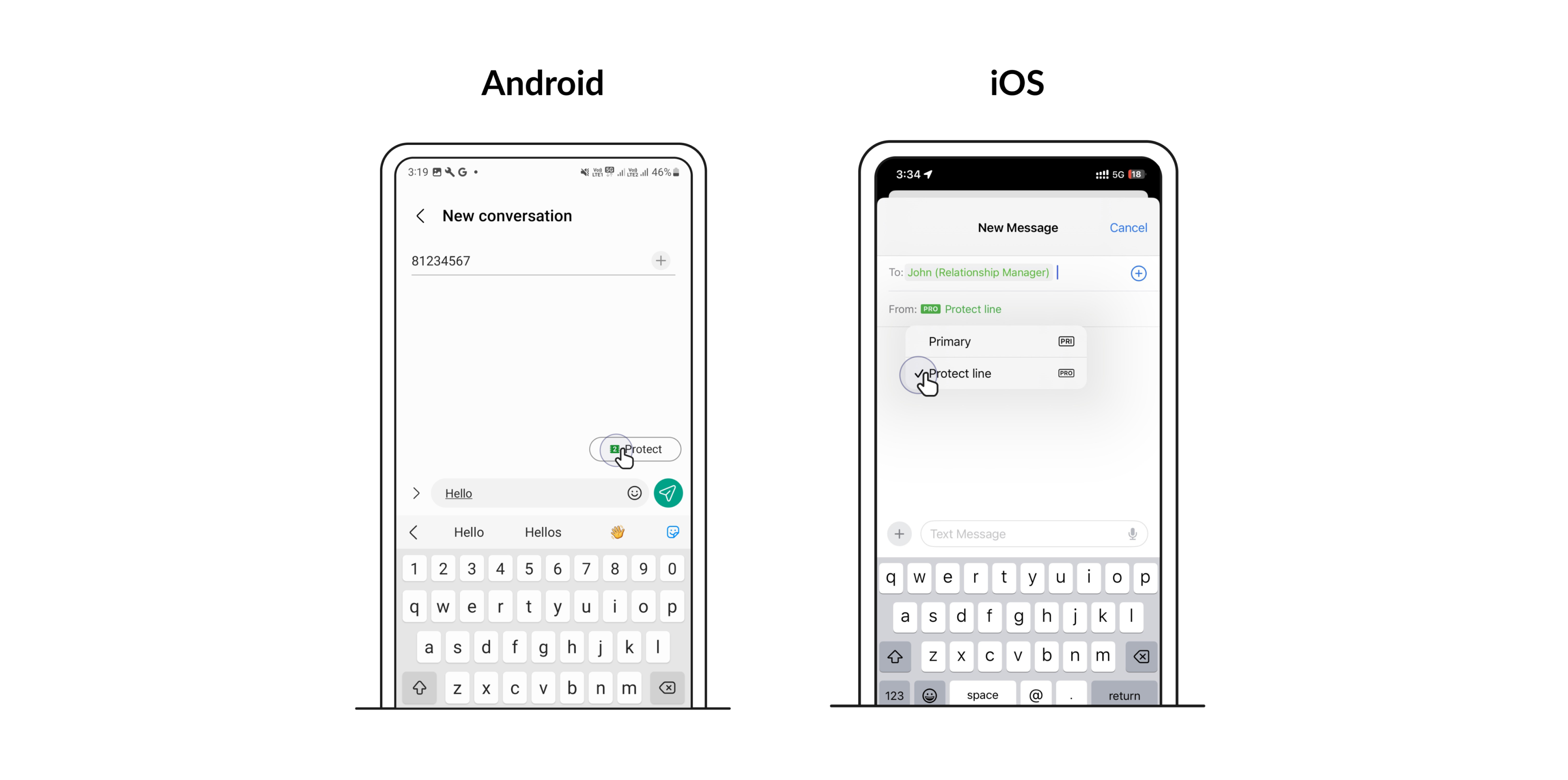
To send SMS
When drafting a new message, you’ll be able to select which line to send a text from.
To receive calls and SMS
You’ll be able to receive calls and SMSes on both lines by default, so long as both lines are turned on in your device settings.
8. Can I switch from Protect eSIM to another plan?
At any point after the first month, you have the option to switch to our SIM Only plans or phone plans to enjoy more talktime, SMSes and data.
Upon switching plans, you’ll lose free access to Mobile Protect and will be charged $4.90/month for it. Cancel this add-on anytime via my Singtel app.